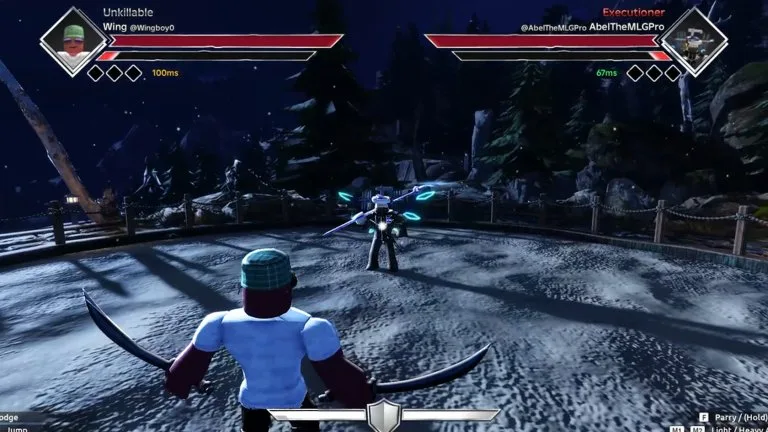
The experience description says Dueling Grounds supports PC, mobile, and console. It prints a PC chart and says those keys can be changed in settings. It does not print movement keys or a controller chart.
PC defaults
- M1: light attack
- M2: heavy attack
- F: parry, or hold to block
- Q or Shift: dodge
- M3 or T: lock to the enemy
- Ctrl: mouse lock or unlock
- Space: jump
- R: ultimate
Settings, then Keyboard, rebinds PC keys, including mouse buttons. Control guides and a creator reply say walking works. The official description does not name WASD, so treat movement keys as something to confirm in Keyboard settings.
Mobile
A September 2026 control description gives mobile a virtual joystick on the left, a camera swipe on the right, and buttons for light, heavy, parry or block, dodge, jump, lock-on, and ultimate. It does not include key rebinding. Trailer comments on March 20, 2026 ask for mobile layout customization. That request is a comment, and the September control description still has no layout editor.
Console
Console support is in the official description. A guide that says controllers are unsupported conflicts with that line. A July 3, 2026 console page prints RT or R2 for light, RB or R1 for heavy, X or Square to tap-parry and hold-block, B or Circle to dodge, A or Cross to jump, Y or Triangle for the ultimate, and a right-stick click to lock on. That page says the buttons cannot be rebound. A YouTube comment lists a different PS5 layout: Square light, Triangle heavy, R2 ultimate, Circle dodge, X jump, D-pad up to lock, D-pad down to equip. The experience description does not include either chart. PC keys can be changed under Settings, then Keyboard. The July claim that controller buttons are fixed is that page's statement.
Voice chat is marked unsupported on the experience page. The camera is also marked unsupported. Timing for F, block, and dodge is in parry, block, and dodge.